> ## Documentation Index
> Fetch the complete documentation index at: https://julius.ai/docs/llms.txt
> Use this file to discover all available pages before exploring further.

# User Input Cells

> User input cells are useful for prompting the user of a notebook.

***

<div style={{ display: "flex", justifyContent: "center" }}>
  <iframe width="560" height="315" src="https://www.youtube.com/embed/rR562P1cGK4?si=wwFm5DYscct4okTN" title="YouTube video player" frameborder="0" allow="accelerometer; autoplay; clipboard-write; encrypted-media; gyroscope; picture-in-picture; web-share" referrerpolicy="strict-origin-when-cross-origin" allowfullscreen />
</div>

***

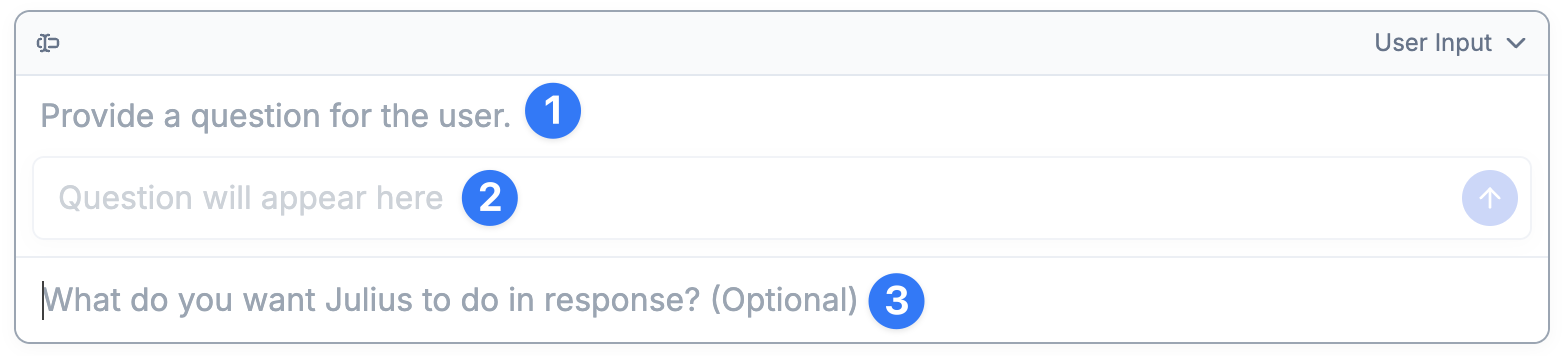
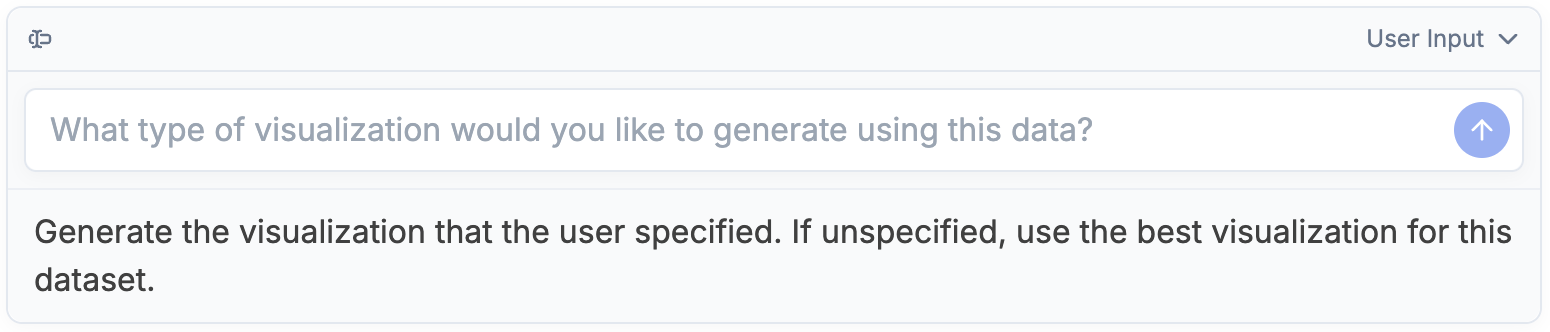
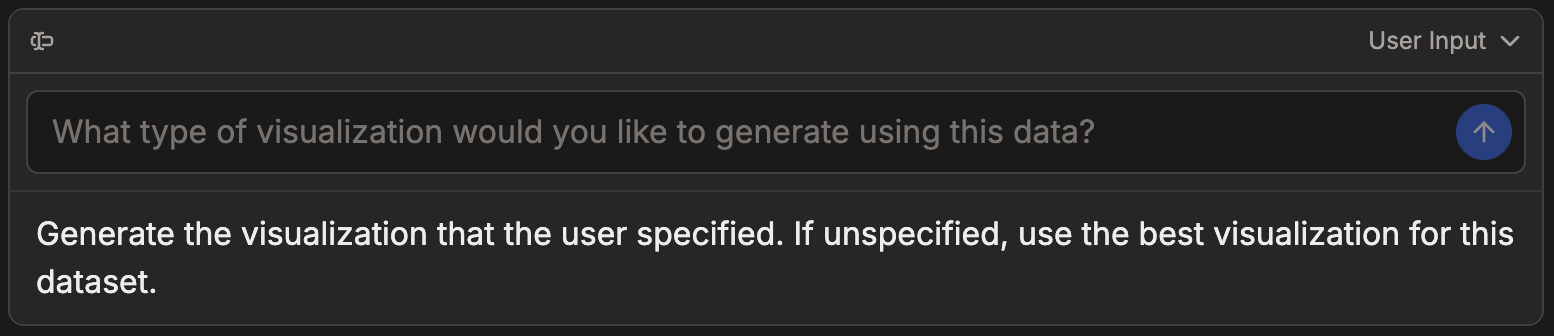
A **User Input** cell is used to ask a user of a notebook how to proceed. This is helpful when sharing a notebook to a teammate, and when results might vary based on the data being used.

<div align="center">
  <img className="block max-w-[60%] h-auto dark:hidden" src="https://mintcdn.com/julius-d061c216/iP_qLLemHc-A-_-m/images/notebooks/user-input-cells/user-input-light-1.png?fit=max&auto=format&n=iP_qLLemHc-A-_-m&q=85&s=900e006797e4adafe8805bd98de060ac" width="1550" height="284" data-path="images/notebooks/user-input-cells/user-input-light-1.png" />

  <img className="hidden max-w-[60%] h-auto dark:block" src="https://mintcdn.com/julius-d061c216/iP_qLLemHc-A-_-m/images/notebooks/user-input-cells/user-input-dark-1.png?fit=max&auto=format&n=iP_qLLemHc-A-_-m&q=85&s=31ff5eecb0787105b137ee5421325182" width="1548" height="282" data-path="images/notebooks/user-input-cells/user-input-dark-1.png" />
</div>

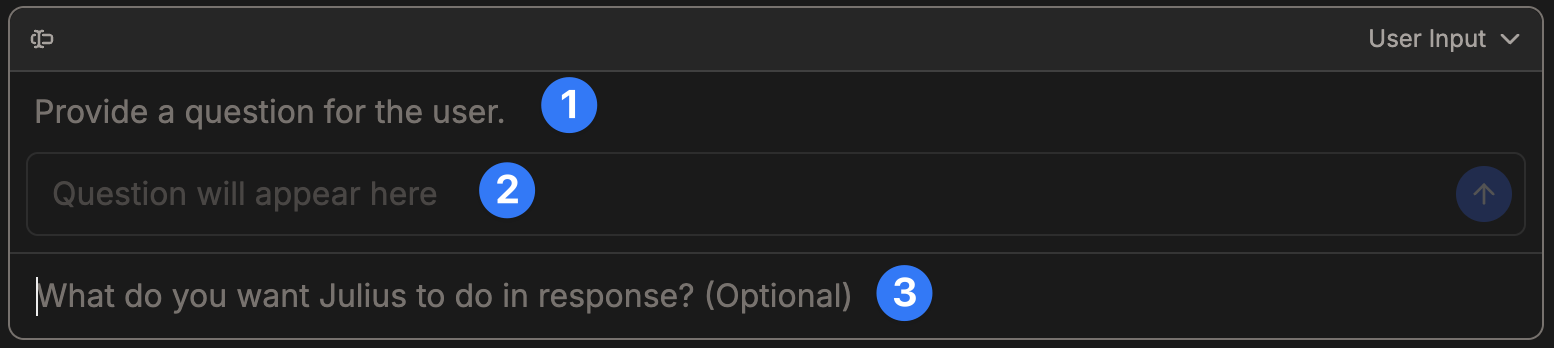
A User Input Cell is made up of 3 parts

<div align="center">
  <img className="block max-w-[60%] h-auto dark:hidden" src="https://mintcdn.com/julius-d061c216/iP_qLLemHc-A-_-m/images/notebooks/user-input-cells/user-input-light-overview.png?fit=max&auto=format&n=iP_qLLemHc-A-_-m&q=85&s=8175de174b39cc6a6aba33875ca14a83" width="1566" height="356" data-path="images/notebooks/user-input-cells/user-input-light-overview.png" />

  <img className="hidden max-w-[60%] h-auto dark:block" src="https://mintcdn.com/julius-d061c216/iP_qLLemHc-A-_-m/images/notebooks/user-input-cells/user-input-dark-overview.png?fit=max&auto=format&n=iP_qLLemHc-A-_-m&q=85&s=27b20c35d745dcf2f140257a53b127db" width="1554" height="348" data-path="images/notebooks/user-input-cells/user-input-dark-overview.png" />
</div>

1. **Question Input** - What question do we want to ask the user?
2. **User Input** - Where the user will answer the question.
3. **Julius Output** - What do we want Julius to do using the user response?

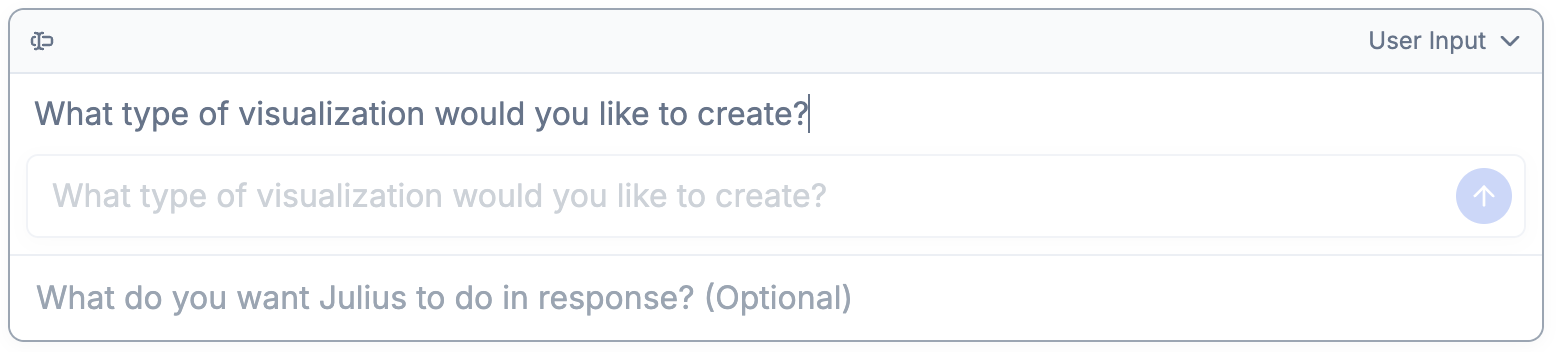
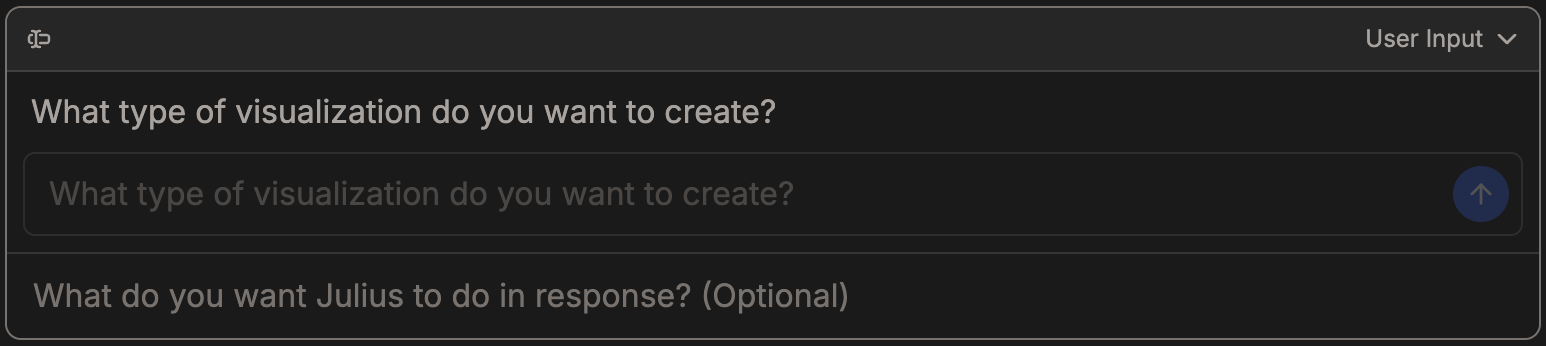
In this **Question Input**, we ask the user "What type of visualization would like to make?"

<div align="center">
  <img className="block max-w-[60%] h-auto dark:hidden" src="https://mintcdn.com/julius-d061c216/iP_qLLemHc-A-_-m/images/notebooks/user-input-cells/user-input-light-1a.png?fit=max&auto=format&n=iP_qLLemHc-A-_-m&q=85&s=bdb77e58e76388498b4fb869c40f4ce8" width="1556" height="352" data-path="images/notebooks/user-input-cells/user-input-light-1a.png" />

  <img className="hidden max-w-[60%] h-auto dark:block" src="https://mintcdn.com/julius-d061c216/iP_qLLemHc-A-_-m/images/notebooks/user-input-cells/user-input-dark-1a.png?fit=max&auto=format&n=iP_qLLemHc-A-_-m&q=85&s=dd758864956bffec31e848dad3b2493f" width="1546" height="346" data-path="images/notebooks/user-input-cells/user-input-dark-1a.png" />
</div>

In the **Julius Output** area, you can specify what you want Julius to do with the User's answer to your question.

Here's we'll instruct Julius to make the Visualization that the user specified.

<div align="center">
  <img className="block max-w-[60%] h-auto dark:hidden" src="https://mintcdn.com/julius-d061c216/iP_qLLemHc-A-_-m/images/notebooks/user-input-cells/user-input-light-2.png?fit=max&auto=format&n=iP_qLLemHc-A-_-m&q=85&s=3227de17b43d18aa34a212ba7a992f1b" width="1550" height="332" data-path="images/notebooks/user-input-cells/user-input-light-2.png" />

  <img className="hidden max-w-[60%] h-auto dark:block" src="https://mintcdn.com/julius-d061c216/iP_qLLemHc-A-_-m/images/notebooks/user-input-cells/user-input-dark-2.png?fit=max&auto=format&n=iP_qLLemHc-A-_-m&q=85&s=e10f7b829ac411847de258e101086716" width="1554" height="336" data-path="images/notebooks/user-input-cells/user-input-dark-2.png" />
</div>

<Tip>
  This is optional. If left blank Julius will determine what best to do with the user's response using all of the previous
</Tip>

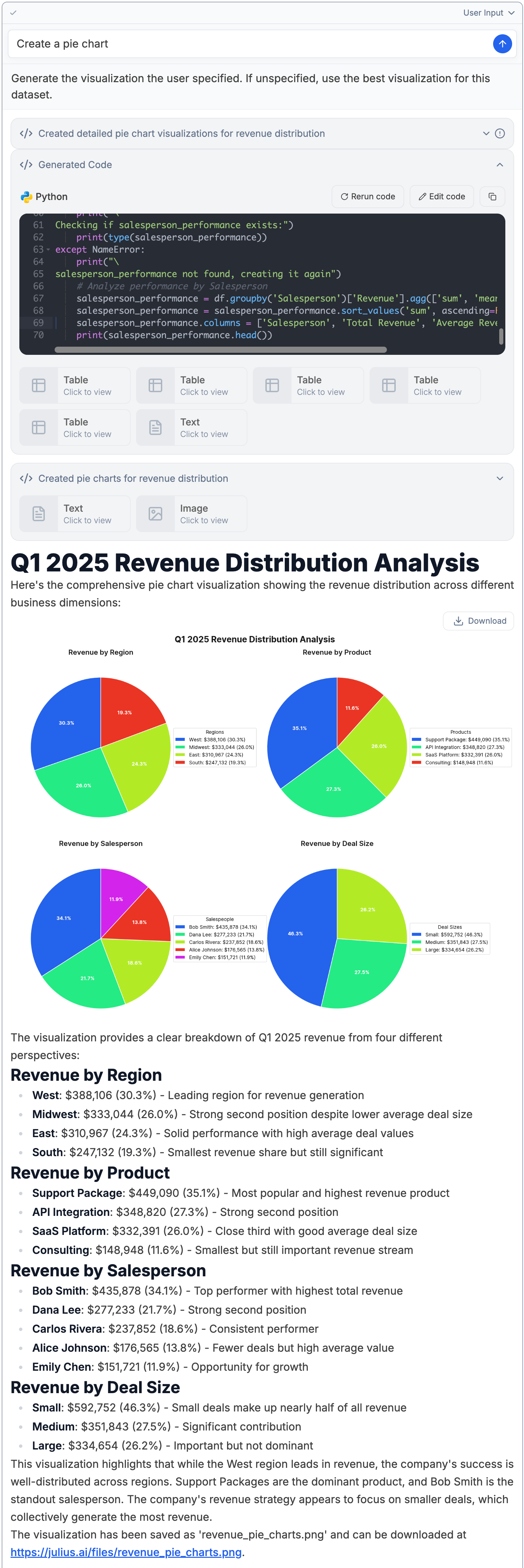
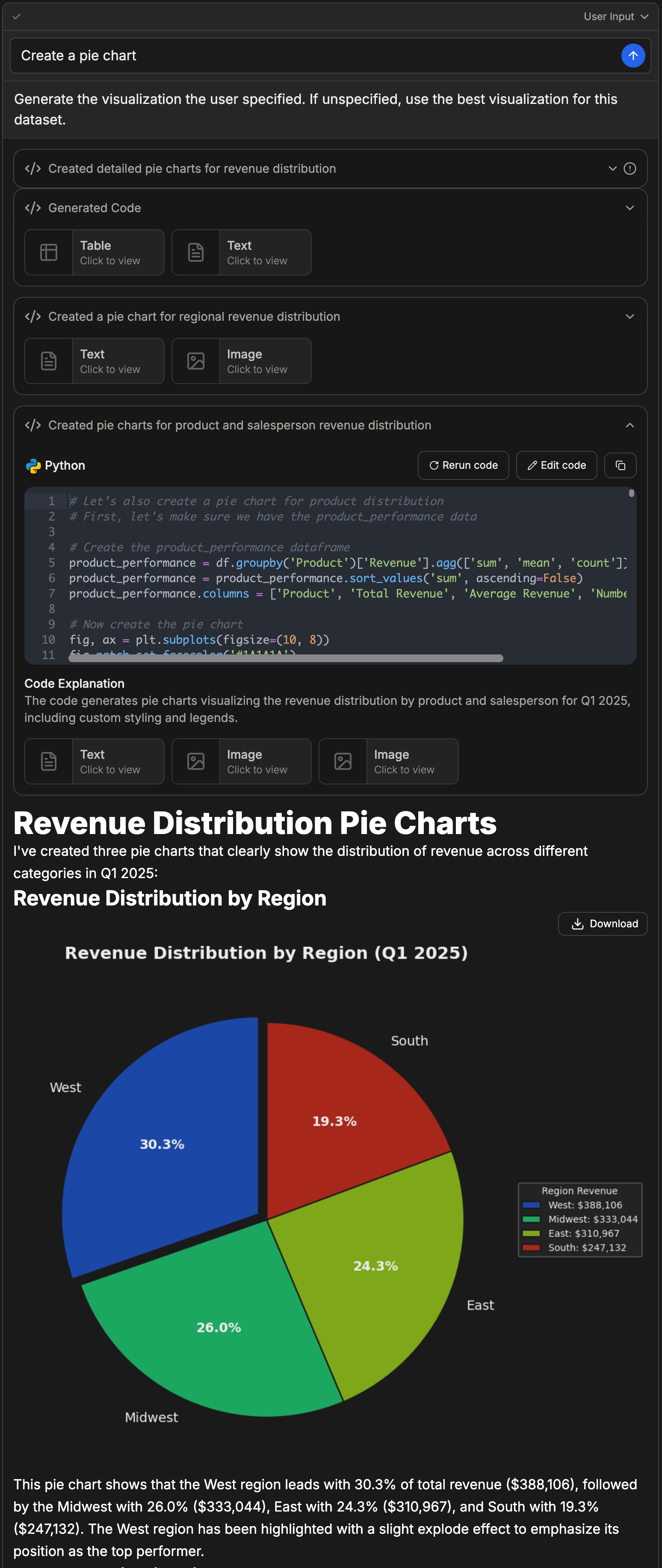
When the user adds their input and runs the cell, Julius will write and execute the python code using the users inputs!


<div align="center">
  <img className="block max-w-[60%] h-auto dark:hidden" src="https://mintcdn.com/julius-d061c216/iP_qLLemHc-A-_-m/images/notebooks/user-input-cells/user-input-light-4.png?fit=max&auto=format&n=iP_qLLemHc-A-_-m&q=85&s=1fa5b88373d3d2fe045e249f27c102e0" width="1544" height="4618" data-path="images/notebooks/user-input-cells/user-input-light-4.png" />

  <img className="hidden max-w-[60%] h-auto dark:block" src="https://mintcdn.com/julius-d061c216/iP_qLLemHc-A-_-m/images/notebooks/user-input-cells/user-input-dark-4.png?fit=max&auto=format&n=iP_qLLemHc-A-_-m&q=85&s=3d908e870c4d72f9f26c1dc95eab0f9b" width="1548" height="3666" data-path="images/notebooks/user-input-cells/user-input-dark-4.png" />
</div>