> ## Documentation Index
> Fetch the complete documentation index at: https://julius.ai/docs/llms.txt
> Use this file to discover all available pages before exploring further.

# Prompt Cells

> Prompt cells are used to prompt and instruct Julius on what to do (structure the data, process user inputs, create charts/visualizations, etc.)

***

<div style={{ display: "flex", justifyContent: "center" }}>
  <iframe width="560" height="315" src="https://www.youtube.com/embed/7iC09XeQwRg?si=d4EsySpkOKzfYcSN" title="YouTube video player" frameborder="0" allow="accelerometer; autoplay; clipboard-write; encrypted-media; gyroscope; picture-in-picture; web-share" referrerpolicy="strict-origin-when-cross-origin" allowfullscreen />
</div>

***

Using a prompt cell is similar to using the chat interface. You can use both natural language and technical language when prompting, depending on your preference or use case.

<div align="center">
  <img className="block max-w-[60%] h-auto dark:hidden" src="https://mintcdn.com/julius-d061c216/iP_qLLemHc-A-_-m/images/notebooks/prompt-cells/prompt-cell-light-1.png?fit=max&auto=format&n=iP_qLLemHc-A-_-m&q=85&s=c0aa11453b9184fd6982f20b7c8837bf" width="1552" height="170" data-path="images/notebooks/prompt-cells/prompt-cell-light-1.png" />

  <img className="hidden max-w-[60%] h-auto dark:block" src="https://mintcdn.com/julius-d061c216/iP_qLLemHc-A-_-m/images/notebooks/prompt-cells/prompt-cell-dark-1.png?fit=max&auto=format&n=iP_qLLemHc-A-_-m&q=85&s=f52cbee254da782790d739b191724a34" width="1554" height="172" data-path="images/notebooks/prompt-cells/prompt-cell-dark-1.png" />
</div>

This prompt cell tells Julius to validate that the data is consistent:

<div align="center">
  <img className="block max-w-[60%] h-auto dark:hidden" src="https://mintcdn.com/julius-d061c216/iP_qLLemHc-A-_-m/images/notebooks/prompt-cells/prompt-cell-light-2.png?fit=max&auto=format&n=iP_qLLemHc-A-_-m&q=85&s=8b7bd1319d09635f802f96b1e0951548" width="1552" height="168" data-path="images/notebooks/prompt-cells/prompt-cell-light-2.png" />

  <img className="hidden max-w-[60%] h-auto dark:block" src="https://mintcdn.com/julius-d061c216/iP_qLLemHc-A-_-m/images/notebooks/prompt-cells/prompt-cell-dark-2.png?fit=max&auto=format&n=iP_qLLemHc-A-_-m&q=85&s=0637124e2633e1ecd240486975c666a8" width="1550" height="164" data-path="images/notebooks/prompt-cells/prompt-cell-dark-2.png" />
</div>

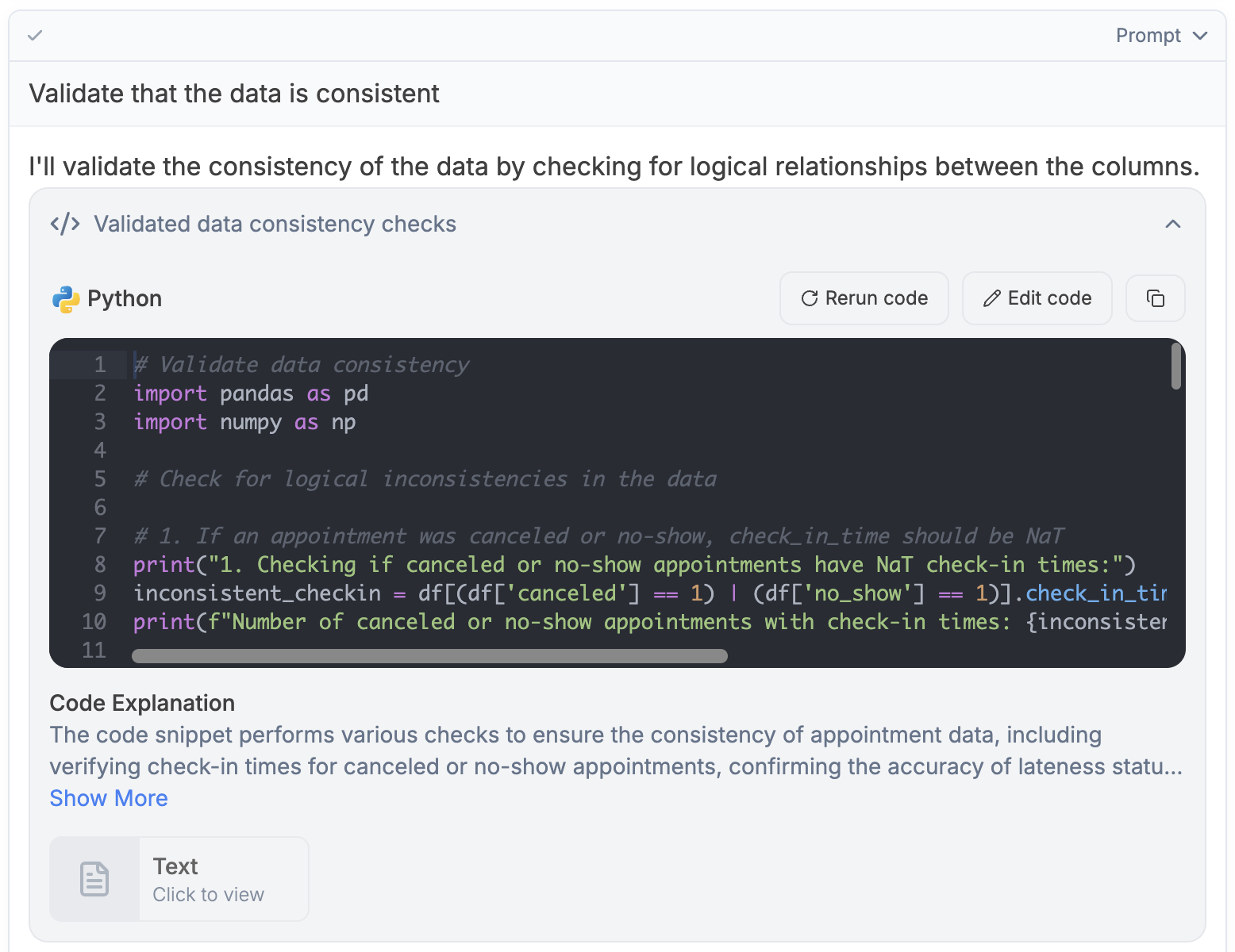
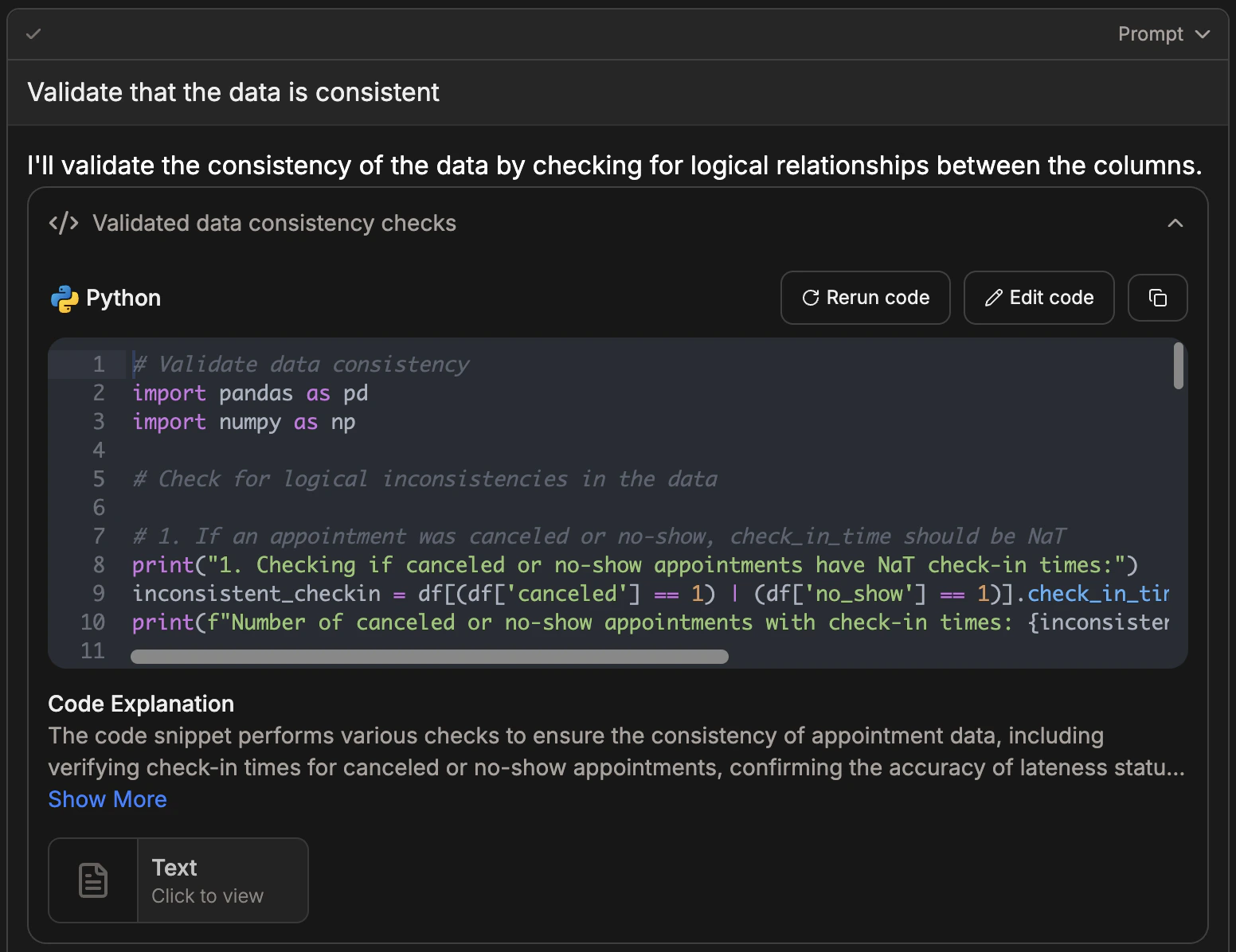
Once you run the prompt cell, Julius will write and execute the python code to fulfill your prompt.


<div align="center">
  <img className="block max-w-[60%] h-auto dark:hidden" src="https://mintcdn.com/julius-d061c216/iP_qLLemHc-A-_-m/images/notebooks/prompt-cells/prompt-cell-light-3.png?fit=max&auto=format&n=iP_qLLemHc-A-_-m&q=85&s=e6b95230fd77e617a93d9ce814ff2647" width="1556" height="1200" data-path="images/notebooks/prompt-cells/prompt-cell-light-3.png" />

  <img className="hidden max-w-[60%] h-auto dark:block" src="https://mintcdn.com/julius-d061c216/iP_qLLemHc-A-_-m/images/notebooks/prompt-cells/prompt-cell-dark-3.png?fit=max&auto=format&n=iP_qLLemHc-A-_-m&q=85&s=7e4f696e3b02ed8540832f63a430b0d6" width="1552" height="1196" data-path="images/notebooks/prompt-cells/prompt-cell-dark-3.png" />
</div>